Home Screen
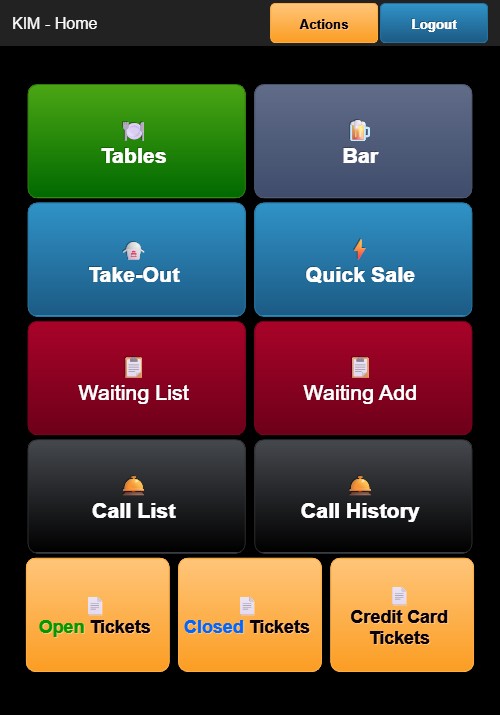
After logging in, the Home Screen is displayed. The header shows GM3 - Home along with an orange Actions button and a blue Logout button.
Main Buttons
The Home Screen contains 8 buttons arranged in a 2-column grid:
| Button | Color | Description |
|---|---|---|
| Tables | Green | Opens the table map for dine-in orders |
| Bar | Blue (beer icon) | Opens bar tab ordering |
| Take-Out | Light blue | Opens take-out order management |
| Quick Sale | Blue (lightning icon) | Opens quick counter sale |
| Waiting List | Dark red | Displays the current guest waiting list |
| Waiting Add | Dark red | Opens the form to add a guest to the waiting list |
| Call List | Dark gray (bell icon) | Displays the list of guests to be called |
| Call History | Dark gray (bell icon) | Displays the history of guest call-outs |
Bottom Ticket Buttons
Three orange buttons appear at the bottom of the screen:
- Open Tickets — Displays all currently open (unpaid) orders
- Closed Tickets — Displays all completed and paid orders
- Credit Card Tickets — Displays orders paid by credit card
Actions Menu
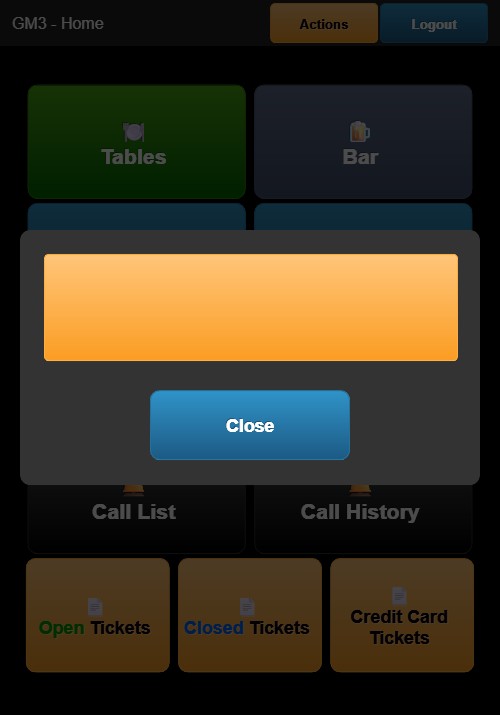
Tapping the orange Actions button opens a menu with:
- ADMIN — Access to administrative functions
- Close — Closes the Actions menu and returns to the Home Screen