VelaPay POS Setting
VelaPay POS Setting
VelaPay POS Setting
Go to MENU > SETTINGS > HARDWARE > PINPAD > LOCAL
Under the Local tab make sure that use local pinpad is NOT checked and that you check shared pin selection

Once that is checked, go to the shared pin selection tab that you selected and checkmark the box use – shared pinpad

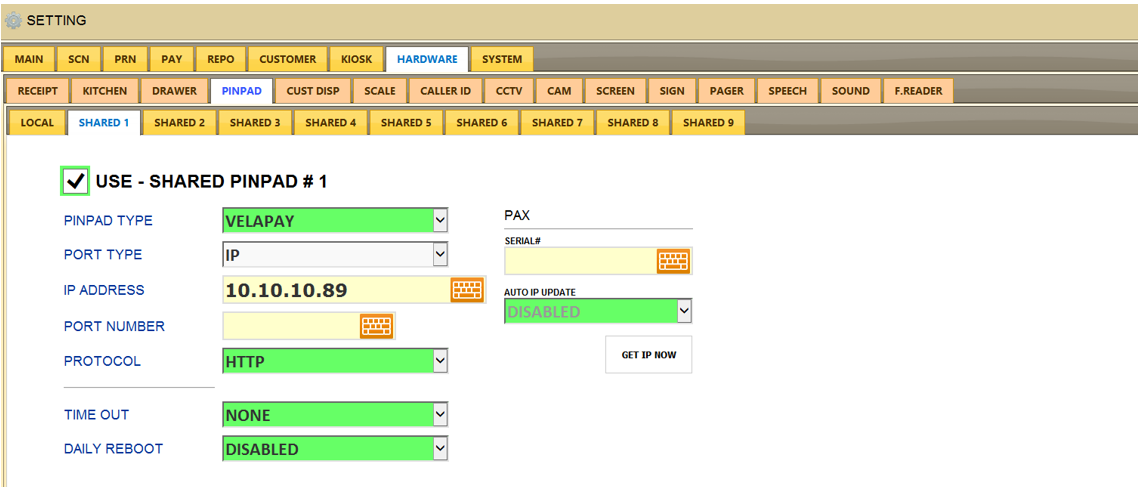
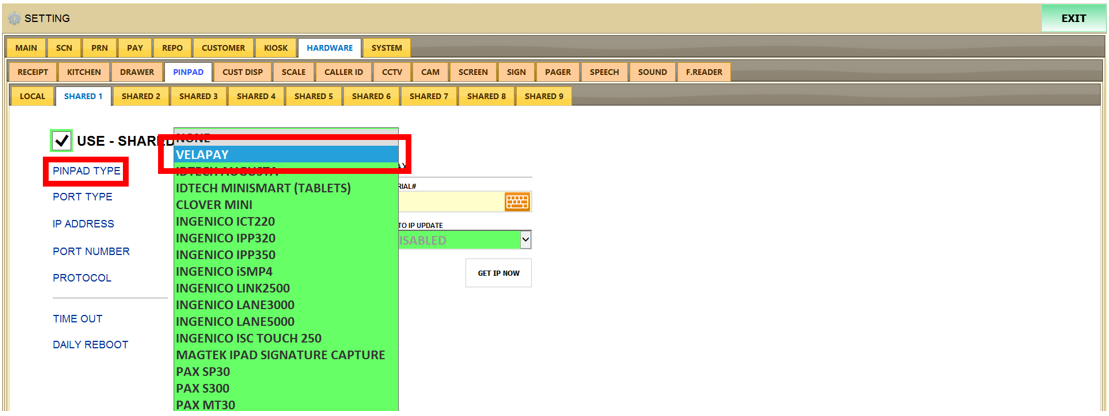
For the settings make sure under PINPAD TYPE you select velapay
PORT TYPE: IP
IP ADDRESS: Enter the IP address of the pin pad
PORT NUMBER: leave this blank
PROTOCOL: HTTP
TIME OUT: None
DAILY REBOOT: Disabled